
Why Is My Card Declining?
This step-by-step guide will show you how to find out why your card is declining so you can take the proper next steps.
Apr 11, 2025●
1
Log into Bank of America Works.
2
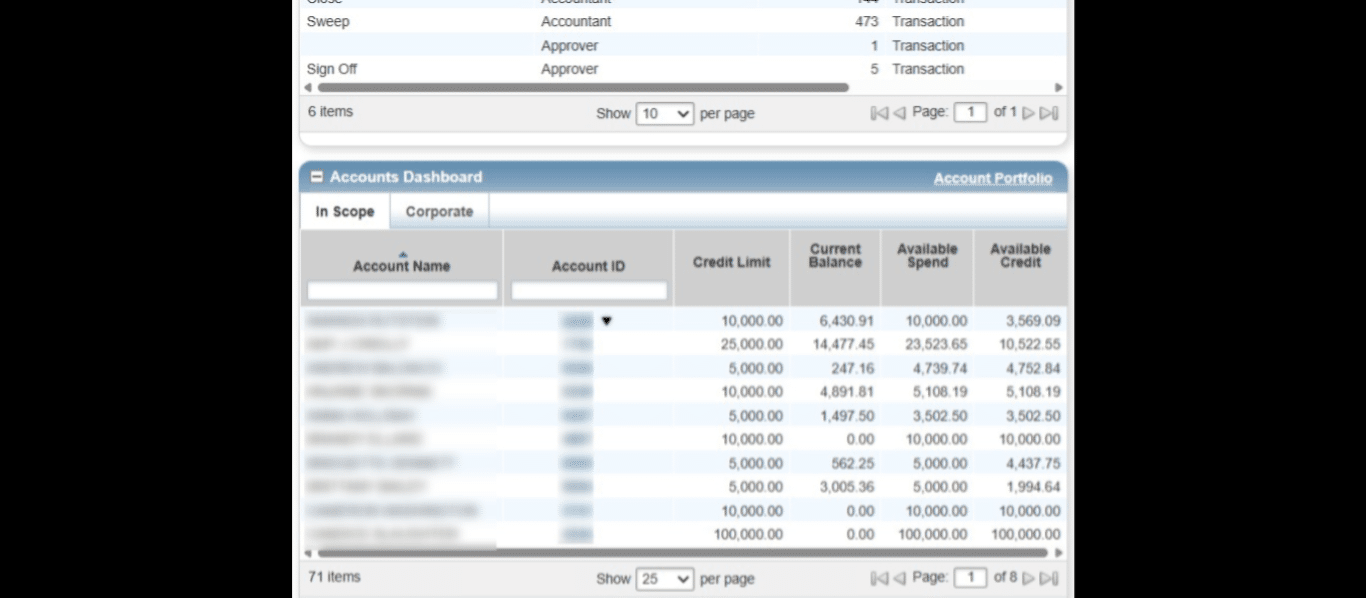
Under the Accounts Dashboard section of your home page, click on the drop down triangle next to your 4-digit Card number.
3
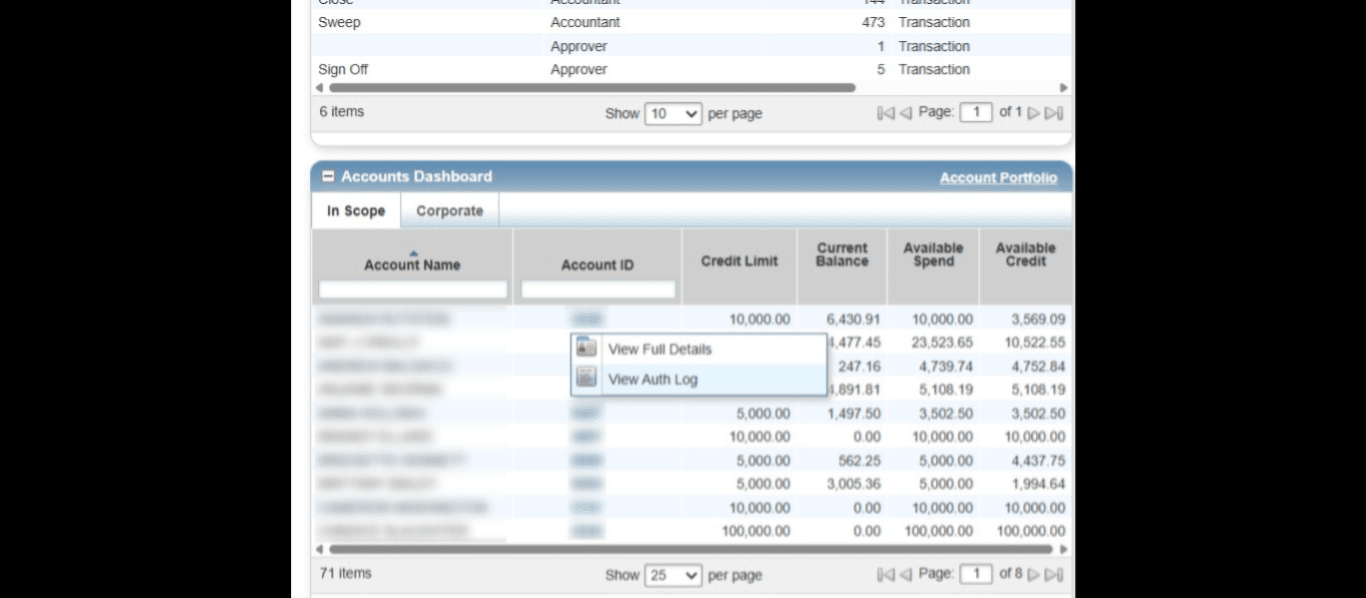
Select "View Auth Log" from the drop down menu.
4
Your Authorization Log will show you the status of your recent transactions, and if Declined, will give a reason for that Decline. The Procurement Services webpage "SPCC Resources and Guides" has a list of common decline reasons and what they mean. Knowing why your card is declining will allow you to take the next appropriate steps.
" has a list of common decline reasons and what they mean. Knowing why your card is declining will allow you to take the next appropriate steps.](https://assets.guidejar.com/uploads/92ff0b38-09f0-457e-9aaa-2fb5f7d72609/SLS2HabFEwMopArHVtEupW5fdTM2/a3178ad3-2323-4dcd-81ef-abec1960bfe4/1744398337435.jpeg)